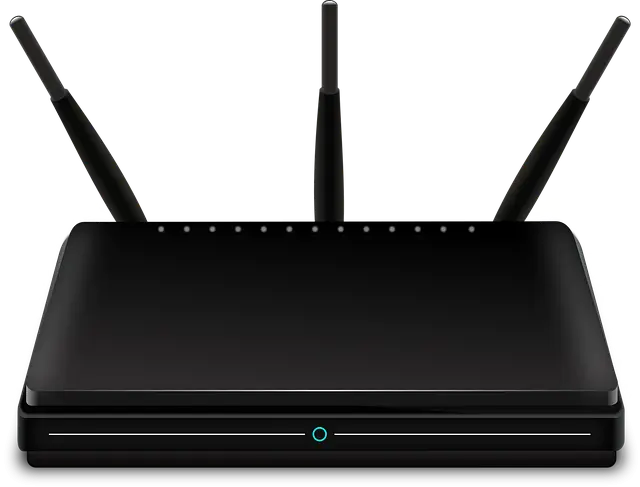
Welcome to a comprehensive guide on choosing the best Wi-Fi router for your Jio or Airtel Fiber connection. Navigating through the multitude of Wi-Fi routers available in the market can be overwhelming. The right device can significantly enhance your internet experience, while the wrong choice may leave you dealing with slow connections and other challenges.
In this blog post, we will cover understanding different types of routers available, identifying key features essential when purchasing a Wi-Fi router, review some of the best routers compatible with high-speed connections, and analyze their compatibility with Jio and Airtel fiber. Finally, we'll provide guidance on setting up and optimizing your Wi-Fi router.
Understanding Different Types of Wi-Fi Routers
A Wi-Fi router comes in various types, each designed to perform specific tasks. Some common types include traditional routers, dual-band routers, and tri-band routers. The simplest form of a Wi-Fi router is the traditional type that operates on a single band - 2.4 GHz. Dual-band routers are more advanced and can operate on two frequencies - 2.4 GHz and 5 GHz, making them ideal for environments with many networks. Tri-band routers are the most advanced and offer three different frequencies, guaranteeing optimal speeds even with multiple devices connected.
Each type serves its purpose well, but when it comes to connections such as Jio or Airtel Fiber, a dual-band or tri-band router is recommended for the best experience due to their higher frequency support which translates into faster speeds and less interference.
Features to Consider When Buying a Wi-Fi Router
When shopping for a Wi-Fi router, various features influence your choice. One of these features is the maximum speed supported by the router. Connections like Jio and Airtel Fiber offer speeds up to 1 Gbps and therefore require a router that can handle this speed. Another feature could be the number of devices supported simultaneously by the router. Homes with multiple devices need routers that can handle this type of load without affecting speed.
Other features to consider include the router's range, the security protocols it supports, how easy it is to set up, and, importantly, compatibility with your Internet Service Provider (ISP). Ensure the router you opt for meets your specific needs for optimal performance.
How to Set Up and Optimize Your New Wi-Fi Router
Setting up your new Wi-Fi router should not be complicated. Most modern routers come with an accompanying app or software and step-by-step instructions on setting up. The setup involves connecting your router to the power source, connecting it to your modem, and following the given instructions on your device.
Once set up, optimizing your Wi-Fi router for best performance is crucial. This may involve positioning your router in a strategic position, securing your network, limiting the number of connected devices, regularly updating the firmware, and occasionally turning off and on your router. Good router maintenance will ensure your internet connection remains stable.
Conclusion
The best Wi-Fi router for Jio or Airtel Fiber should deliver fast and uninterrupted internet connection, support multiple devices, easy to set up, and guarantee secure internet usage. With the information provided in this guide, we hope it's easier for you to select an ideal router compatible with your ISP.
FAQs
What is a dual-band router?
A dual-band router is a type of Wi-Fi router that operates on two frequencies - 2.4 GHz and 5 GHz. They provide faster speeds and less interference compared to traditional routers.
What features should I consider when buying a Wi-Fi router?
Key features to consider include the maximum speed supported by the router, the number of devices it can support simultaneously, its range, security protocols, how easy it is to set up, and importantly, its compatibility with your ISP.
How do I optimize my Wi-Fi router for best performance?
Optimizing your router involves positioning it strategically in your home, regularly updating the firmware, and occasionally rebooting it. Ensuring fewer devices are connected can also increase speed.